
INTRODUCING MODEL 2
AI-SiteSense™ AI hazard identification and safety inspection from a single site photo
Hazard analysis can be done by anyone. If your shopfloor can sense it, they can find it – by science. One photo becomes a tagged, evidence-backed review in about two minutes.
Every worker gets the eyes of a safety specialist. The decision stays with your qualified people.
PHOTO→ZOOMS→PEOPLE TAGS→FINDINGS→REPORT
98% of findings pinned to the photo · internal testing*
Every person tagged
Acts · conditions · chemicals · processes
Human-approved
What is Sparrow AI-SiteSense™?
Sparrow AI-SiteSense™ is AI hazard identification and AI safety inspection software – also called AI image hazard recognition – for industrial and construction sites in India. From a single phone photo, with no CCTV needed, it tags every person, checks PPE on seven body regions, detects unsafe acts, unsafe conditions, chemical and process hazards, and cites Indian standards such as IS 3016, IS 4912 and the OSH Code 2020 – then a qualified reviewer approves the report. Findings flow into permit-to-work, safety observation (unsafe act and unsafe condition reporting), HIRA, audits and CAPA.
45 SECONDS
One photo. The whole story.
Snap, zoom, tag, find, report – and the standards behind every finding. Watch Model 2 work the way your shopfloor will use it.
INSIDE AI-SiteSense™
How AI hazard identification works: one photo, one review.
01 · SNAP
One photo from the floor
Any phone. JPG, PNG or WebP. No forms to fill first.
02 · ZOOM
It looks closer where it matters
Up to eight targeted zooms, each with its reason logged.
03 · TAG
Every person, one by one
Protective equipment checked on seven body regions.
04 · FIND
Beyond PPE
Unsafe acts, unsafe conditions, chemicals and processes.
05 · REPORT
One tap. Full PDF.
Findings, standards, actions and EHS fields – after sign-off.
06 · CONNECT
Into every module
One API feeds PTW, HIRA, audits, BBSO and CAPA.
01 · WHY NOW
Why photo-based hazard identification? Everyone on site can sense a hazard. Few can prove it.
01
The expert isn't on every shift.
Hazards show up on the floor at 3 a.m., on a contractor job, at a remote site. The safety specialist sees a fraction of them.
02
A glance isn't proof.
"Looks unsafe" starts an argument. A finding pinned to the photo, with the standard behind it, ends one.
03
Observations die on paper.
Free-text cards never reach the risk register, the permit or the CAPA list. The same hazard comes back next week.
02 · THE SCIENCE
AI hazard analysis in four steps: inspect, compose, check, report.
An agent, not a caption. Model 2 plans where to look, checks its own work and shows every step to your reviewers and auditors.
01
Inspect
Reads the whole scene and tags every person, object and condition on the photo.
02
Compose
Zooms in where the risk is and loads the checklists for the work it sees.
03
Check
Tests each finding against the evidence in the photo before anything is written.
04
Report
Writes the review, maps the standards and fills your EHS observation fields.
About 1–2 minutes per photoStandard or Enhanced reviewJPG · PNG · WebP
03 · MODEL 2 vs MODEL 1
How accurate is AI hazard detection? Model 1 described the photo. Model 2 proves it.
98%
of everything Model 2 names is pinned to its exact place on the photo. Model 1: 29%.*
Findings pinned to the photo
MODEL 1
29%
MODEL 2
98%
People located and tagged
MODEL 1
24%
MODEL 2
100%
65/65
people tagged one by one in testing, each checked on seven body regions
2.5
targeted zooms per photo on average – up to eight, each with its reason
10
serious hazard types checked on every photo
* Sparrow internal testing, 11–20 Nov 2026: 23 Model 2 reviews and 13 Model 1 reviews. Results depend on photo quality and what is visible in the frame. Comparison table: Model 1 Standard review vs Model 2 Enhanced review on the same photo.
04 · MULTI-ZOOM
Multi-zoom inspection: it zooms in where the risk is.
Model 2 decides where to look closer – up to eight times per photo – and writes down why. Small details at the edge of the frame stop getting missed.
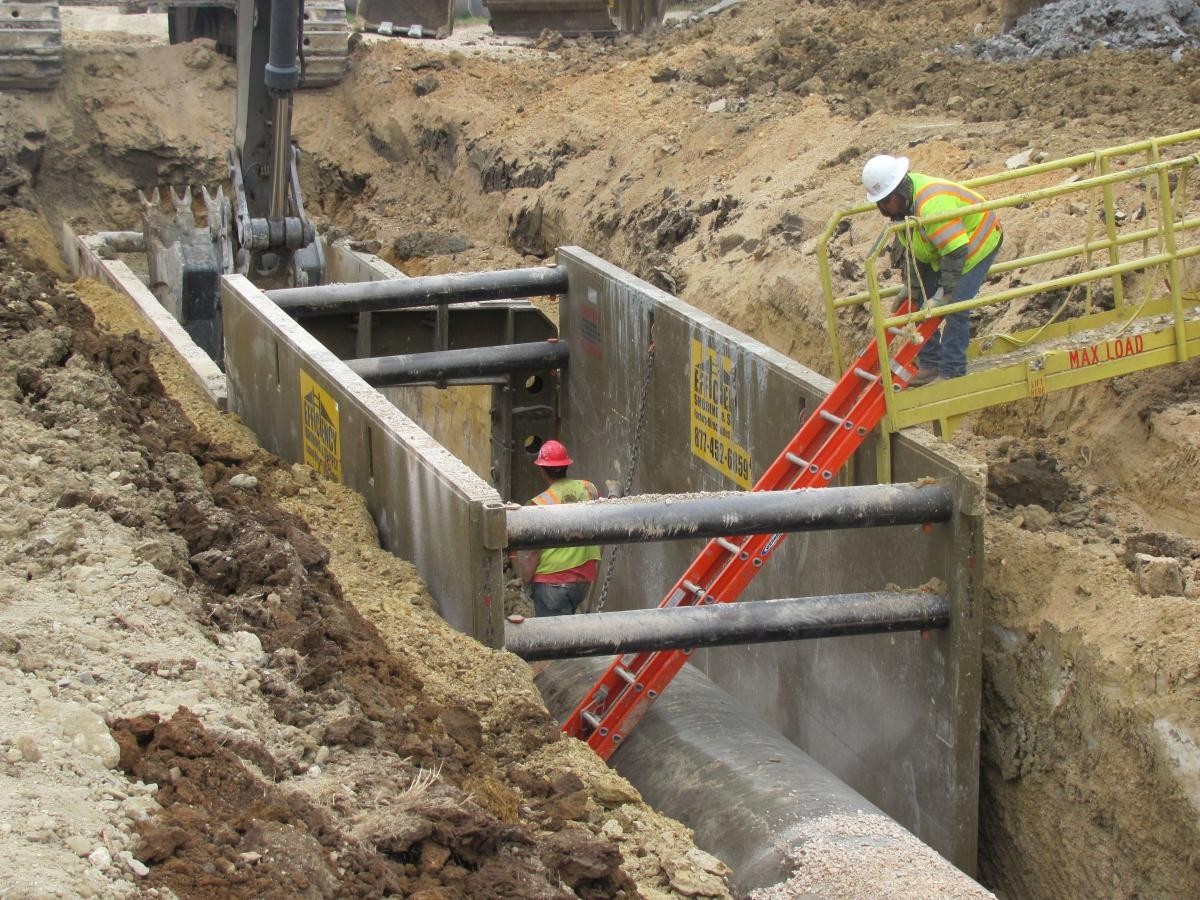
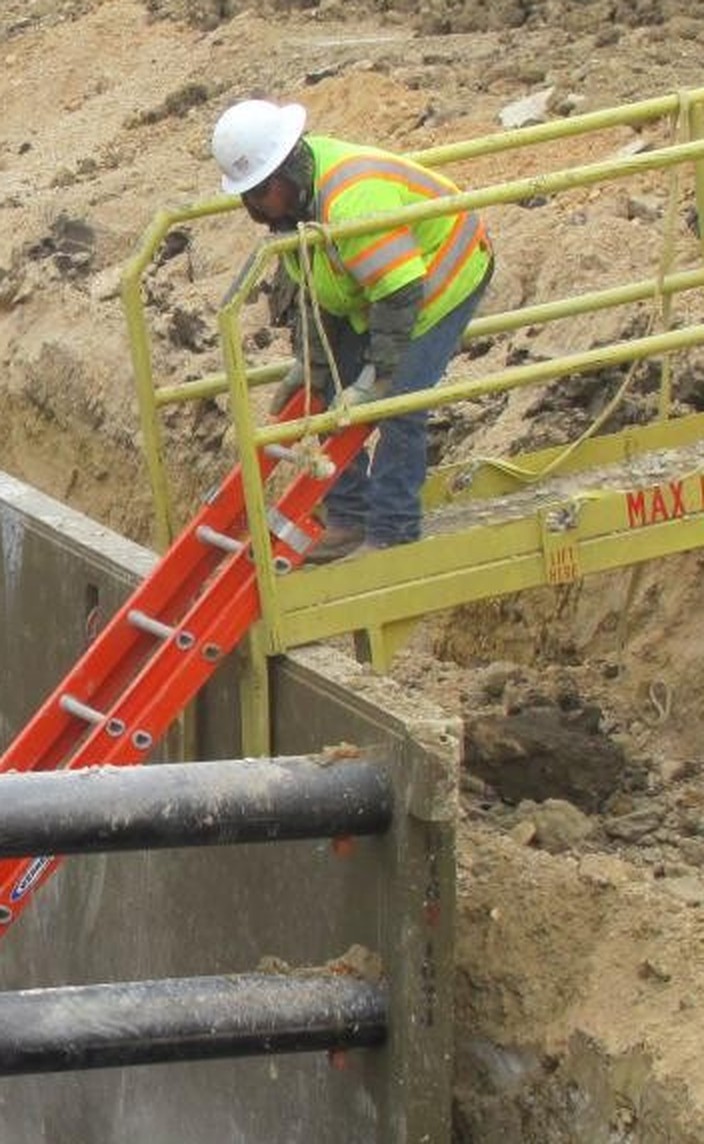
ZOOM 1 · LADDER AND EDGE
Is the worker on the ladder exposed to a fall? Is fall protection visible?
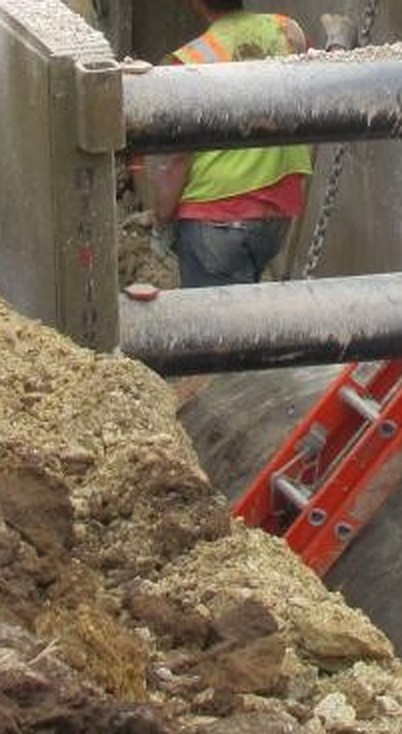
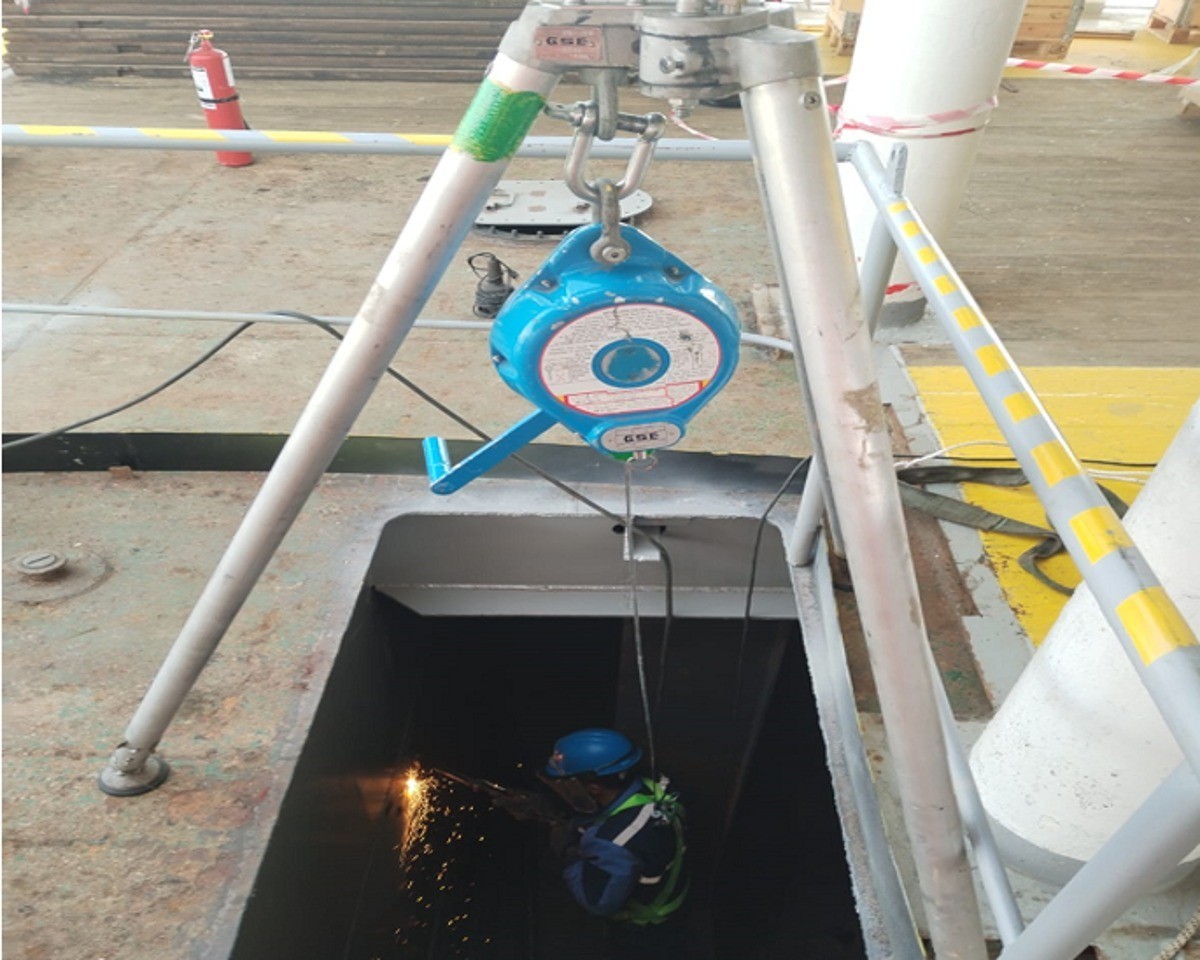
ZOOM 2 · INSIDE THE TRENCH
PPE on the worker in the trench, and his position against the trench support.
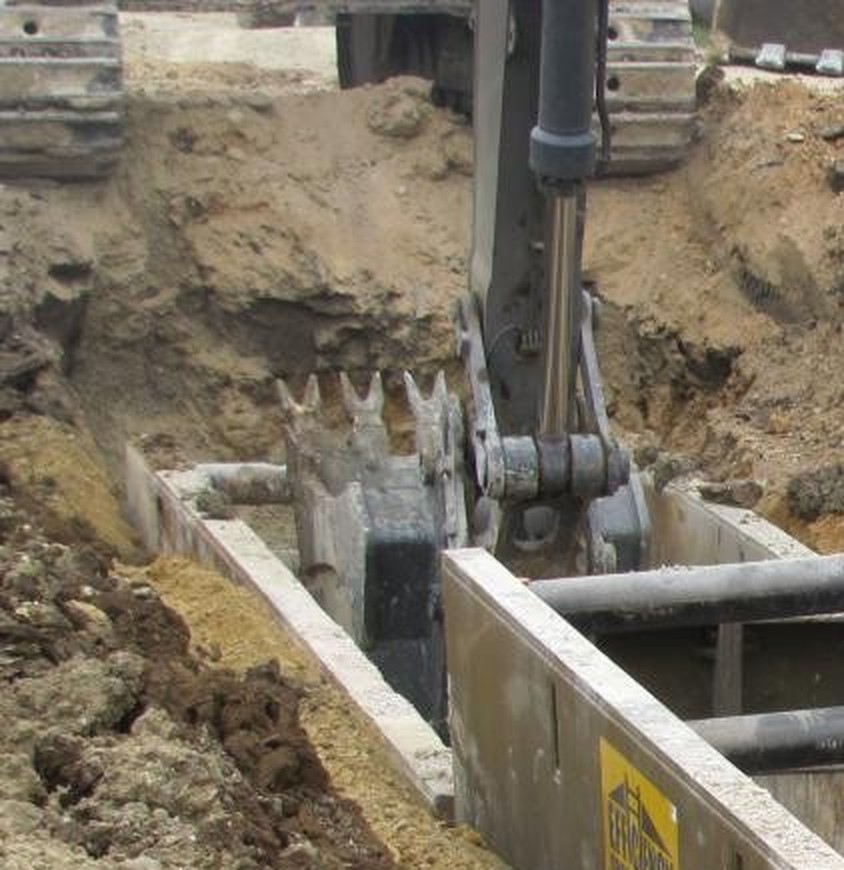
ZOOM 3 · EXCAVATOR
How close are the tracks and bucket to people and the excavation edge?
05 · PEOPLE TAGS
Per-person PPE detection from a phone photo: every person tagged and checked.
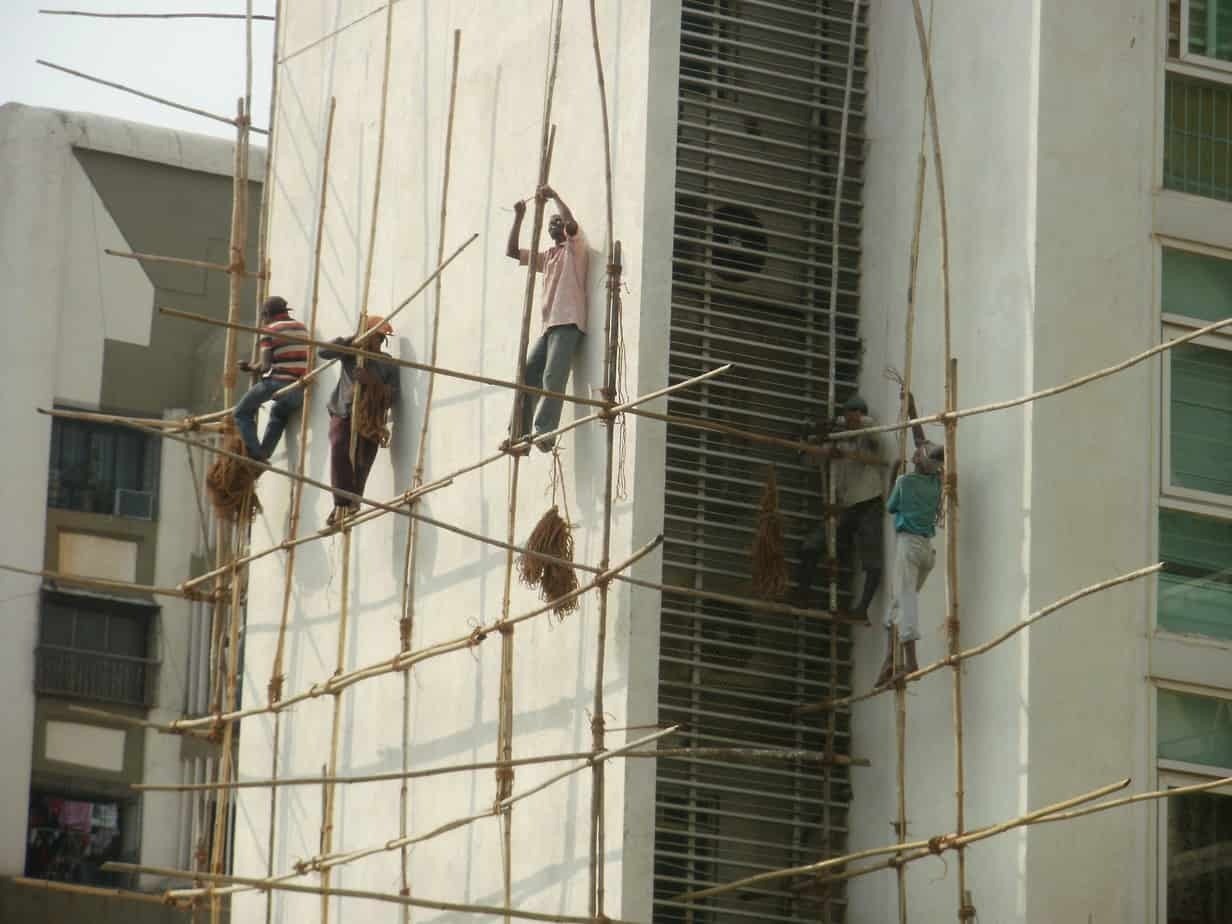
Each person gets their own tag, with protective equipment checked on seven regions: head, eyes and face, hands, arms, body, feet and fall protection. Where the photo can't tell, it says Unclear – never a guess.
| PERSON | HEAD | HANDS | BODY | FALL |
|---|---|---|---|---|
| Person 1 | EXPOSED | EXPOSED | EXPOSED | EXPOSED |
| Person 2 | EXPOSED | UNCLEAR | EXPOSED | EXPOSED |
| Person 3 | EXPOSED | EXPOSED | EXPOSED | EXPOSED |
| Person 4 | UNCLEAR | UNCLEAR | EXPOSED | EXPOSED |
| Person 5 | EXPOSED | UNCLEAR | EXPOSED | EXPOSED |
06 · BEYOND PPE
Beyond PPE: unsafe acts, unsafe conditions, chemicals and process hazards.
PPE is where most photo tools stop. Model 2 reads the work itself: who is exposed, what could happen, what the photo shows – and what it cannot tell. Four real Model 2 results:
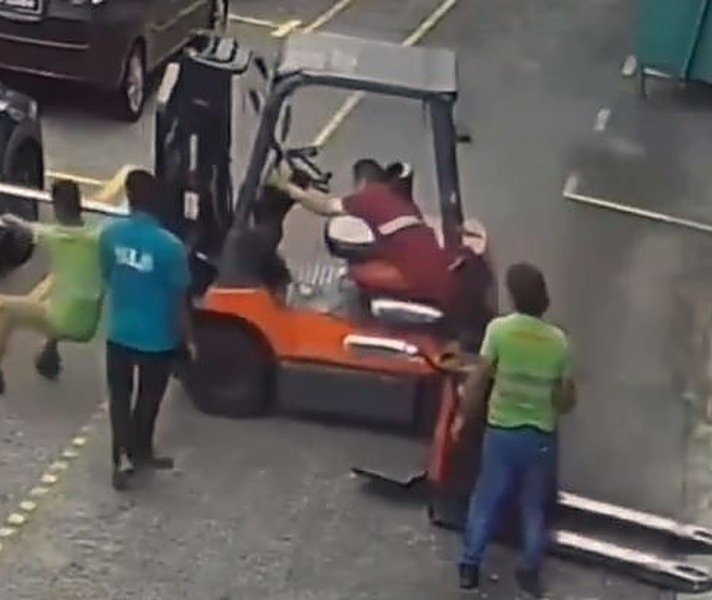
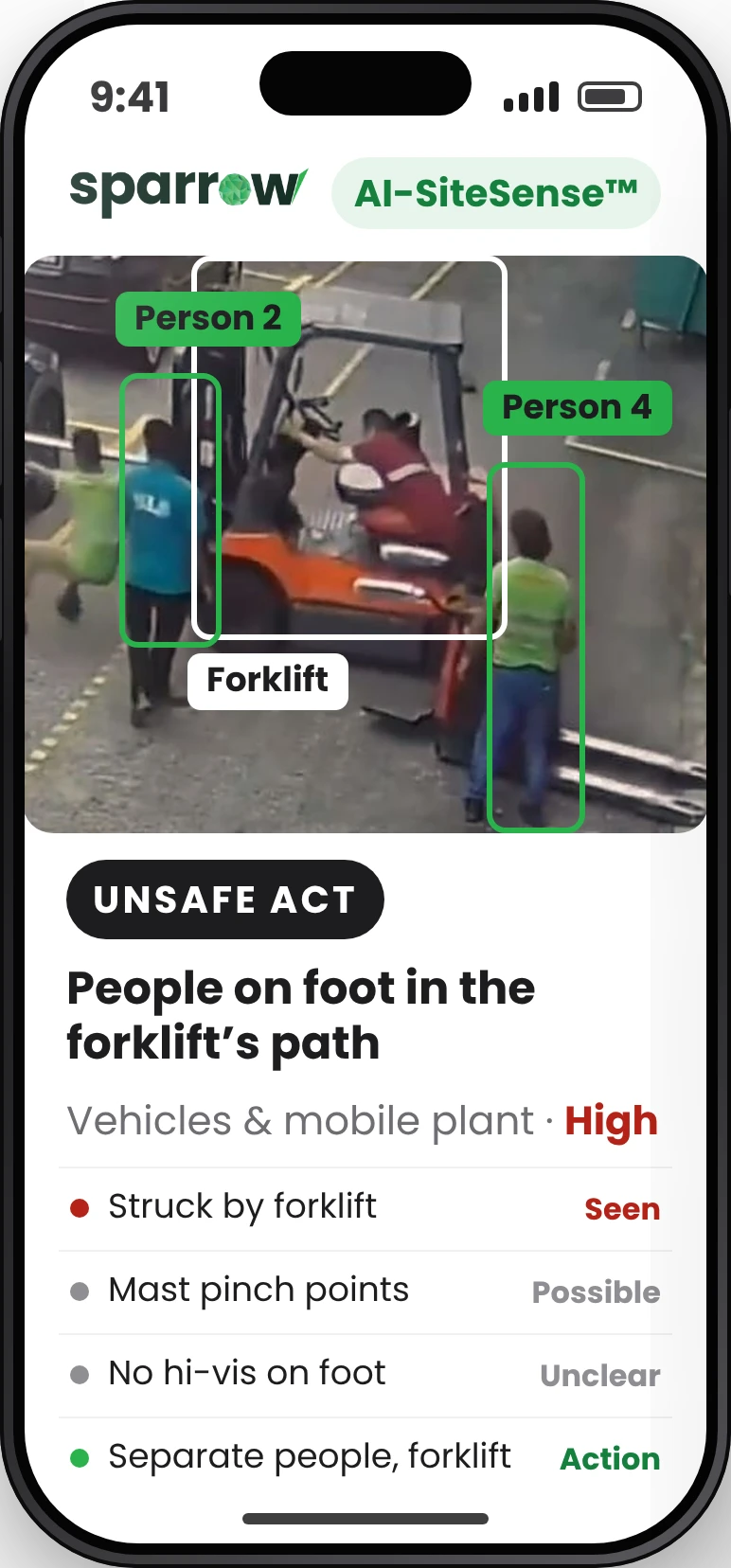
UNSAFE ACT
People on foot in the forklift's path
Vehicles & mobile plant · HIGH
Struck by forkliftSEEN
Mast pinch pointsPOSSIBLE
No hi-vis on footUNCLEAR
Separate people and forkliftACTION
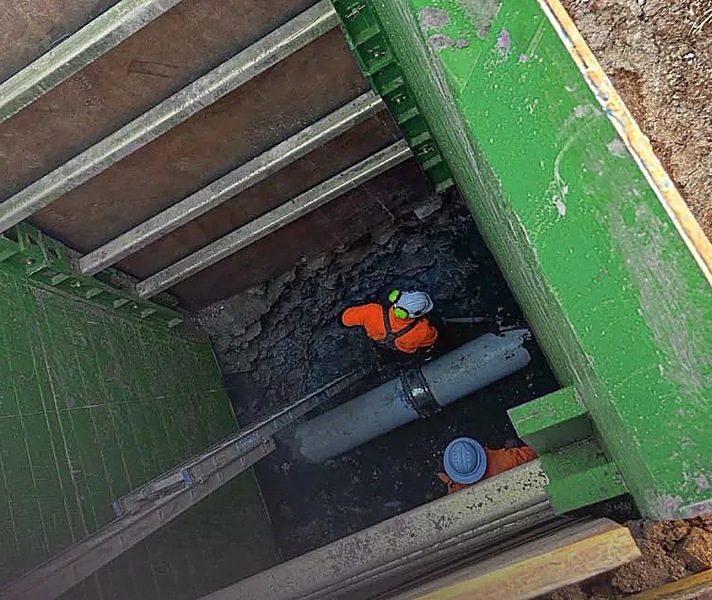
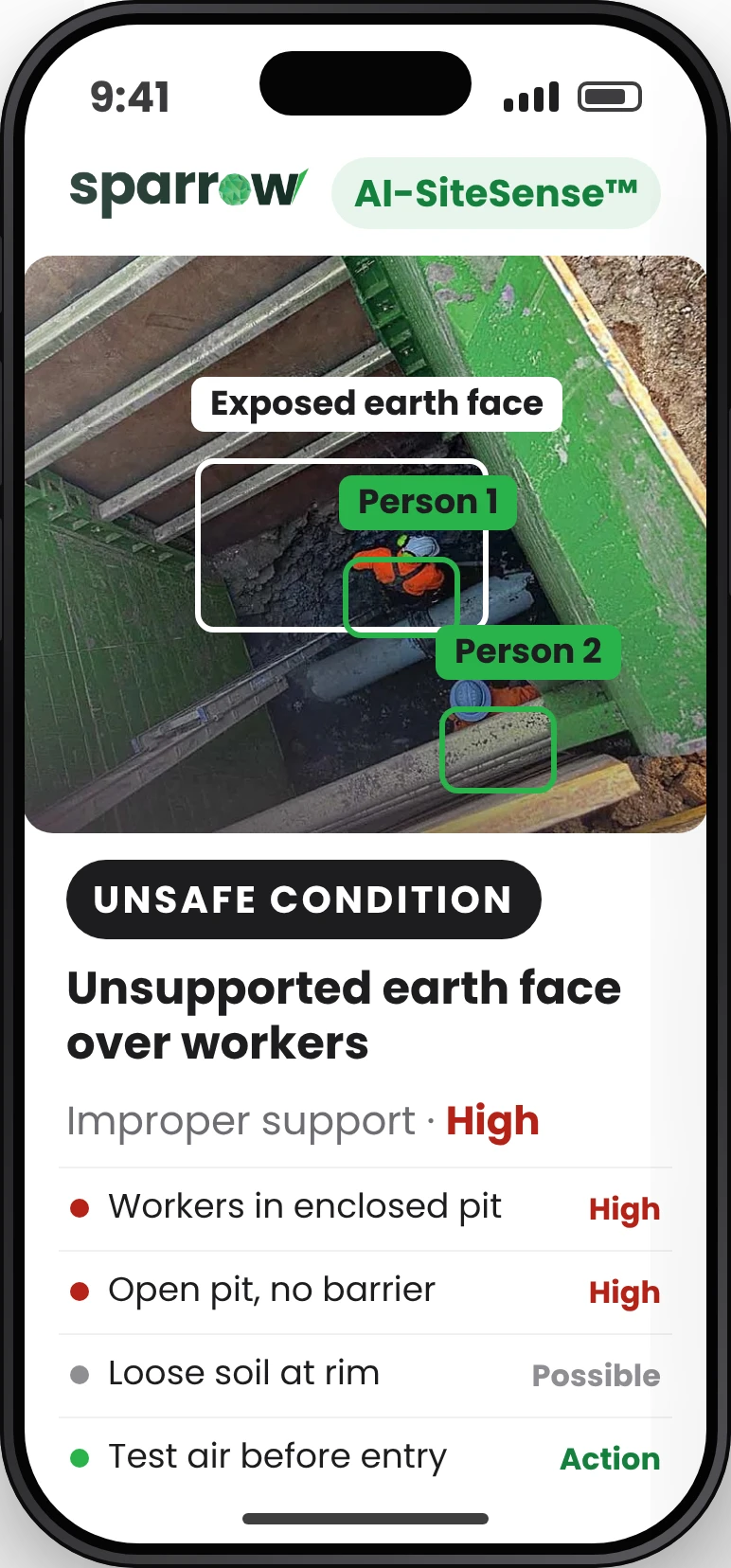
UNSAFE CONDITION
Unsupported earth face over workers
Improper support · HIGH
Workers in enclosed pitHIGH
Open pit, no barrierHIGH
Loose soil at rimPOSSIBLE
Test air before entryACTION
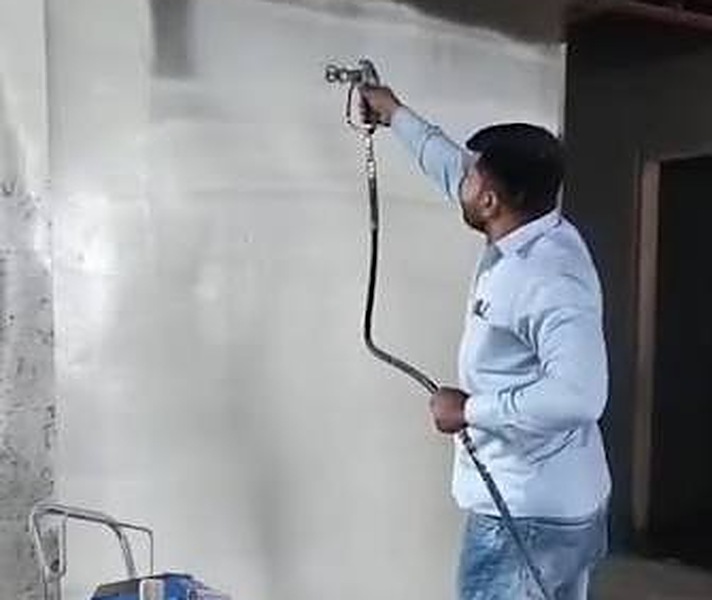
CHEMICALS
Spray mist: inhalation and skin exposure
Hazardous substances · POSSIBLE
High-pressure injectionPOSSIBLE
Flammable vapourPOSSIBLE
Trip on hosePOSSIBLE
Check SDS, fit respiratorACTION
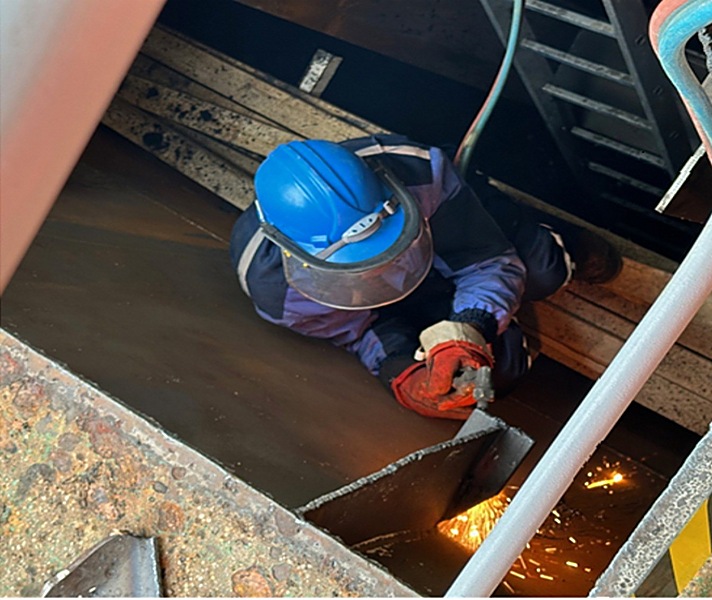
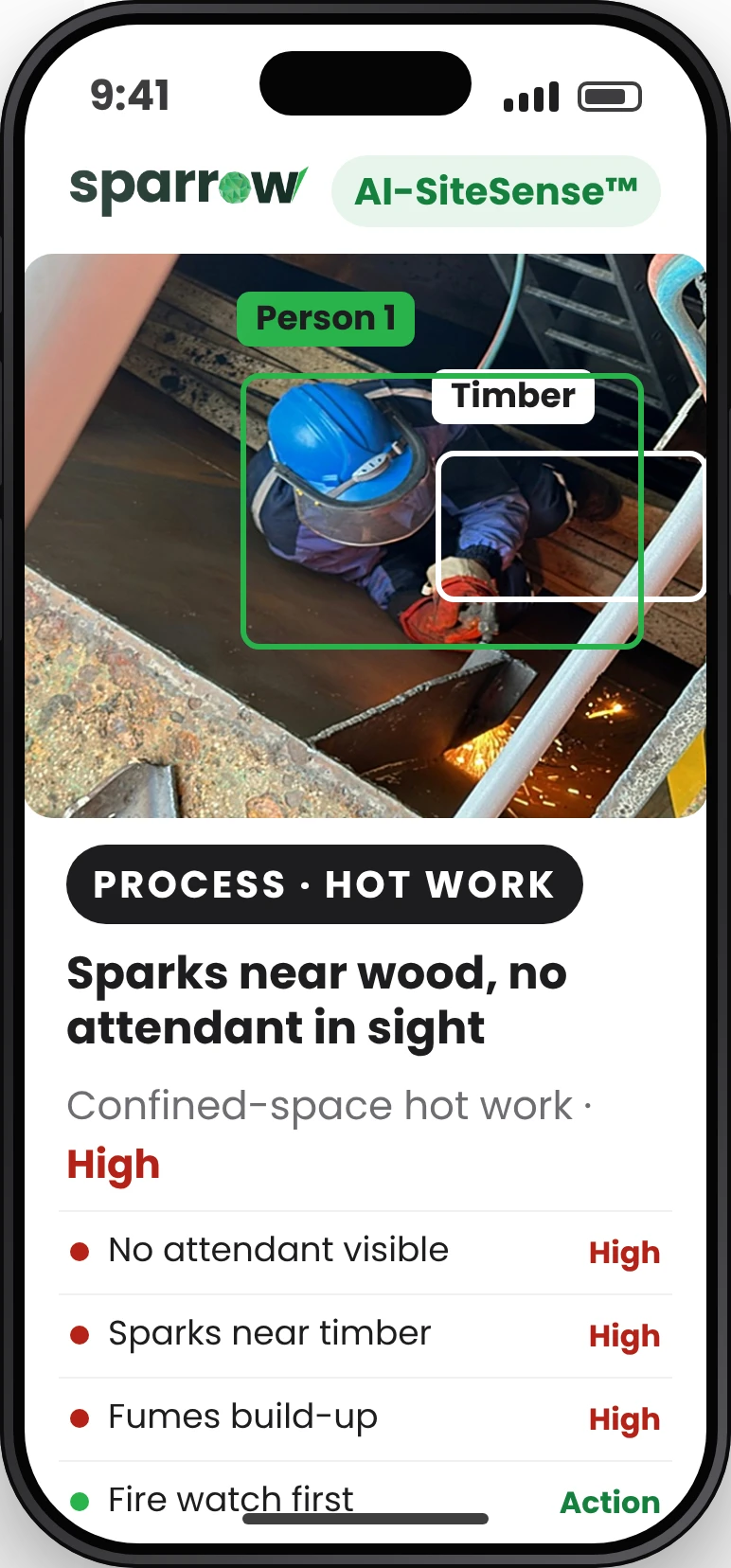
PROCESS · HOT WORK
Sparks near timber, no attendant in sight
Confined-space hot work · HIGH
No attendant visibleHIGH
Sparks near timberHIGH
Fume build-upHIGH
Fire watch firstACTION
PHOTO AI vs CCTV ANALYTICS
Photo-based AI vs CCTV video analytics: PPE and hazard detection without CCTV
Cameras watch fixed areas. Hazards also show up where there is no camera – contractor jobs, remote sites, confined spaces, shutdowns. A mobile safety inspection app needs no installation. Many sites use both: cameras for fixed zones, a photo review for everything else.
Built for high-hazard industries
Chemicals and petrochemicalsPharmaceuticalsOil and gasSteel and metalsPowerCementConstruction and EPCWarehousing and logistics
07 · FINDINGS, NOT VERDICTS
Evidence-backed findings, not verdicts. Your team checks them on site.
Ten activity checklists – including hot work, confined space entry, work at height and excavation – Model 2 decides which apply to the work it sees and writes down why. Ten serious hazard types are checked on every photo. Each finding says who is at risk, what could happen, what the photo shows, what it cannot tell, and what to check on the site walk.
FINDING 1 · HIGH
Unprotected chamber opening
WhoWorkers moving near the opening
What could happenSomeone could fall into the chamber
Photo showsOpen chamber is uncovered; no barrier visible
Can't tellWhether access is controlled outside the frame
☐ Can the opening be covered when not in use?
☐ Is there a secure barrier while it is open?
☐ How is access to the opening controlled?
OSH Code 2020 · NBC 2016 Part 7 · IS 4912
SERIOUS HAZARDS · CHECKED ON EVERY PHOTO
Unprotected openingsFire and hot workConfined spacesElectricalFalling objectsHazardous substancesFalls from heightLifting and loadsVehicles and mobile plantUnguarded machinery
SUGGESTED ACTIONS · BY HIERARCHY OF CONTROL
08 · STANDARDS
Indian safety standards cited: OSH Code compliance pointers, IS code checklists and process safety.
Every finding carries the document behind it and why it relates to this photo – pointers for a qualified reviewer, never a compliance verdict.
WORKPLACE SAFETY
OSH Code 2020OSH (Central) Rules 2026NBC 2016, Part 7IS 3016 · Welding fire precautionsIS 818 · Welding and cutting safetyIS 4912 · Floor and wall openingsIS 3521 · Fall arrest harnessesIS 2190 · Fire extinguishersIS 10245 · Breathing apparatusState fire and factory rules
PROCESS SAFETY MANAGEMENT
OSHA 29 CFR 1910.119 · PSMCCPS RBPSMSIHC Rules 1989EPPR Rules 1996
09 · HUMANS IN EVERY LOOP
Human-in-the-loop review: AI drafts, your experts decide.
REVIEW
A qualified sign-off
Mark reviewed or return for follow-up, with notes. Nothing counts until a person signs.
RECORD
One PDF per job
The photo, the review and the EHS fields in a single dated record for audits and investigations.
COACH
An on-the-job trainer
Every review explains the why behind each check, so new supervisors learn on real work.
A second pair of eyes for the signatory, never a substitute for one.
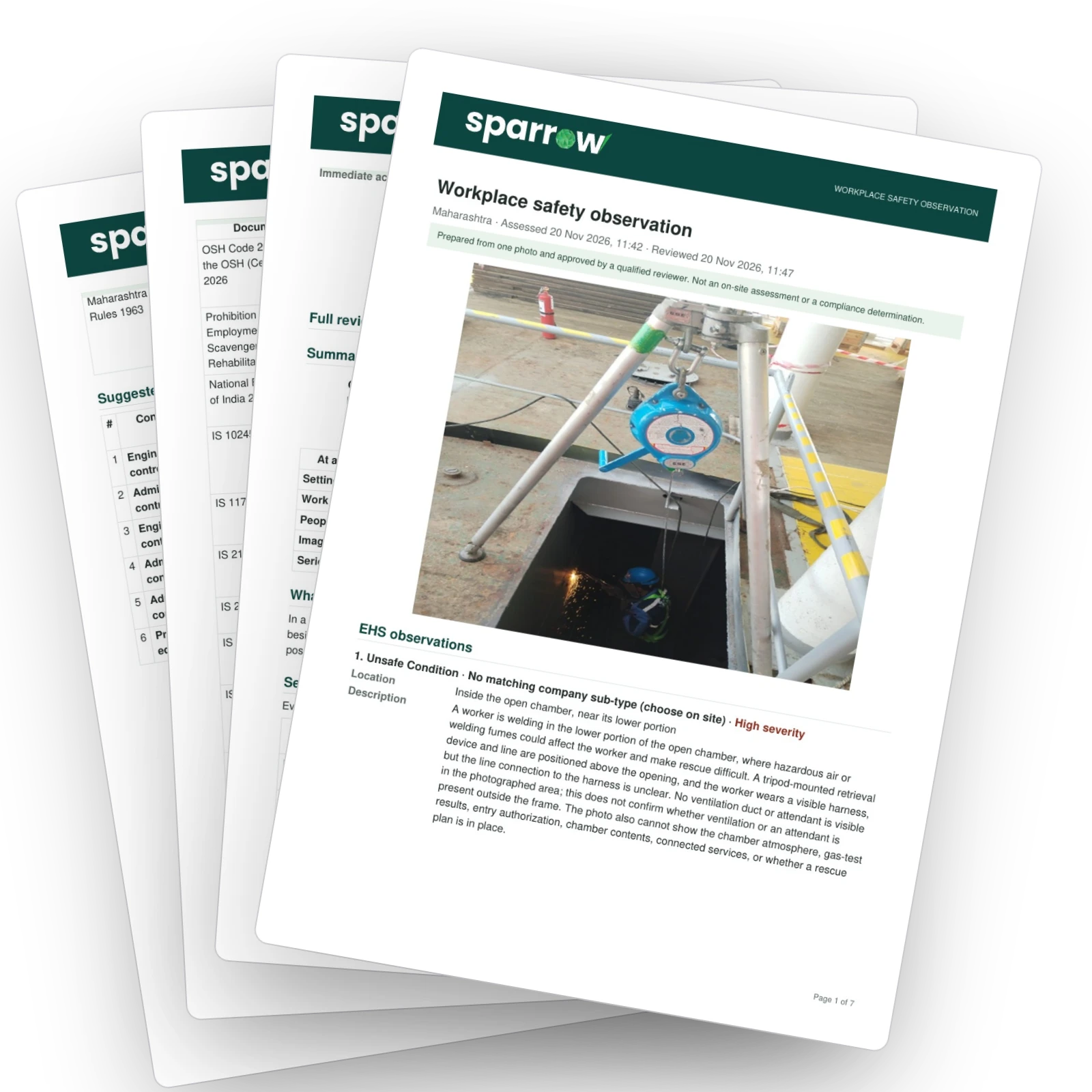
One tap. A complete report.
A 7-page Sparrow PDF: EHS observations, immediate actions, standards cited and actions ranked by control – available once a reviewer approves.
10 · ONE ENGINE, EVERY MODULE
One API for PTW, HIRA, BBSO, audits and CAPA.
AI-SiteSense™ is an engine, not an island. Every Model 2 review already returns the fields your other IndustryOS modules need – so a single photo strengthens permits, risk registers, audits and actions.
Photo check before a hot work, confined space or height permit is issued
Activity checklists · stop-work flag
Inspections
Dated visual record of site conditions
Evidence record with tags
AI-SiteSense™
ONE API
people · PPE · hazards
standards · actions
Unsafe act and unsafe condition reporting, classified
Source · category · sub-type · severity
CAPA
Actions ranked by control, linked to findings
Actions by control level
Bring us one site photo.
We'll show you its zooms, its people tags, its findings and its report. Book a demo and see AI-SiteSense™ run on photos from your own site.
600+
industrial clients
125+
domain specialists
16
countries
14+
years in EHS and process safety
QUESTIONS, ANSWERED
AI hazard identification FAQs
Everything teams ask about AI-SiteSense™ and AI safety inspection from photos – the science, the accuracy, PPE without CCTV, compliance and permits.
THE BASICS
What is AI-SiteSense™?
+
AI-SiteSense™ is Sparrow's AI hazard analysis for site photos. A worker takes one photo; Model 2 inspects it, zooms in where the risk is, tags every person, object and condition, checks each finding against the evidence in the photo, and writes a review with standards, actions and EHS observation fields – for a qualified person to approve.
Can AI identify safety hazards from a single photo?
+
Yes – within what the photo shows. AI-SiteSense™ Model 2 reads the whole scene, zooms in up to eight times where the risk is, tags every person and checks each finding against the evidence in the photo. Anything the photo cannot show is marked Unclear, and a qualified person signs off before the review counts.
How is it different from HIRA?
+
HIRA is a structured, task-based risk assessment carried out by a team. AI-SiteSense™ looks at one real moment on site – what a photo actually shows – and turns it into evidence-backed findings. The two work together: its findings, exposed people and severities can feed straight into AI HIRA and your risk register.
How is it different from CCTV-based AI safety monitoring?
+
CCTV analytics watches fixed areas through installed cameras. AI-SiteSense™ needs only a phone photo, so it works on contractor jobs, remote sites and confined spaces. It goes beyond PPE to unsafe acts, unsafe conditions, chemicals and processes, with the standard behind each finding. Many sites use both.
Who is it for?
+
Everyone on the shopfloor – supervisors, operators, contractors, permit issuers – and the EHS team that reviews their observations. Hazard spotting no longer needs an expert in the room; the expert still makes the decision.
SCIENCE & ACCURACY
How accurate is Model 2?
+
In Sparrow internal testing (11–20 Nov 2026), 98% of what Model 2 named was pinned to its exact place on the photo, against 29% for Model 1, and every one of 65 people was located and tagged. Accuracy depends on photo quality and what is visible in the frame.
What can it detect beyond PPE?
+
Unsafe acts, unsafe conditions, chemical exposures and process hazards such as hot work in confined spaces – alongside PPE checked on seven body regions per person. Ten serious hazard types are checked on every photo, and ten activity checklists are loaded when the work calls for them.
What kind of photo does it need?
+
Any phone photo in JPG, PNG or WebP – no forms to fill first. Clear, well-lit photos that show the people and the work give the best results, because accuracy depends on photo quality and what is visible in the frame. Each review takes about 1–2 minutes.
What happens when the photo is unclear?
+
It says so. Each person and each finding is marked Exposed, Unclear or not seen, and every finding lists what the photo cannot tell – so your team knows exactly what to check on the site walk.
PEOPLE & STANDARDS
Does it replace the safety officer?
+
No. AI drafts; your experts decide. Nothing counts until a qualified person marks the review approved or returns it for follow-up. It is a second pair of eyes for the signatory, never a substitute for one.
Which standards does it reference?
+
Indian workplace-safety codes such as the OSH Code 2020, NBC 2016 Part 7 and IS codes including IS 3016, IS 4912 and IS 3521, and process-safety references such as OSHA 29 CFR 1910.119, CCPS RBPS, MSIHC Rules 1989 and EPPR Rules 1996. References are pointers for a qualified reviewer, not a compliance verdict.
USE CASES & COMPLIANCE
Is there an AI tool that checks site safety from a photo in India?
+
Yes. AI-SiteSense™ is an AI safety inspection tool built for Indian industrial and construction sites. A worker takes one phone photo; it finds hazards, checks PPE per person and cites Indian standards such as the OSH Code 2020, IS 3016 and IS 4912 – then a qualified reviewer approves the review.
Can it detect PPE without CCTV cameras?
+
Yes. It needs only a phone photo, so PPE is checked on seven body regions per person wherever a photo can be taken – contractor jobs, remote sites, shutdowns and confined spaces – with no cameras, network or video processing to install.
Can it report unsafe acts and unsafe conditions?
+
Yes. Each review classifies findings as unsafe acts or unsafe conditions, with category, sub-type and severity, and fills the observation fields for AI-BBSO™ and Safety Observation – so a photo becomes a complete safety observation instead of a free-text card.
Does it help with OSH Code and IS code compliance?
+
It points the reviewer to the relevant clause. Each finding carries the standard behind it – OSH Code 2020, NBC 2016 Part 7, IS 3016, IS 4912, IS 3521 and others – with the reason it applies to this photo. These are pointers for a qualified reviewer, not a compliance verdict.
Can it check a hot work or confined space permit from a photo?
+
Yes. When it sees hot work, confined space entry, work at height or excavation, it loads the matching activity checklist and can raise a stop-work flag. Through one API, these feed Sparrow AI PTW™ so the photo is checked before the permit is issued.
GETTING STARTED
How does it connect to our other modules?
+
Through one API. Each review returns activity checklists and stop-work flags for Sparrow AI PTW™, findings and severities for AI HIRA, standards and checklists for audits, observation fields for AI-BBSO™ and Safety Observation, and ranked actions for CAPA.
Are our site photos kept confidential?
+
Your photos are used only for your reviews. Talk to us about the hosting, retention and data-handling requirements of your site – we cover them in every demo.
How do we get started?
+
Book a demo. We will run AI-SiteSense™ on photos from your own site and walk your team through the zooms, people tags, findings and report. Use the Book a Demo button or write to rms@sparrowrms.in.